Blog · Product news
Your event's languages are now chosen in the group: how Activate languages works
When you create or edit a group, you tick its languages and its default language, and that choice applies to the registration website, the fields, the email, the badge, the certificate, SMS and Mailing. What happens to your existing groups, what each guest sees when a translation is missing, and how the automatic translation coming soon will work.
Your event can run in eight languages: English, Spanish, French, Portuguese, Italian, Catalan, Basque and Galician. Until now, each part of the dashboard chose them on its own: the registration website had its own language selector, and the editors always showed all eight tabs, whether you used them or not.
From now on, languages are chosen once, in the group, and that choice drives everything else. This article covers every option, what happens to the groups you already have, and what's coming with automatic translation.
At a glance
- Activate languages, when you create or edit a group: one tick box per language, plus the default language.
- The registration website offers those languages and the editors show only their tabs.
- Deactivating a language doesn't delete anything: its texts stay saved and come back when you activate it again.
- Your existing groups already have their languages activated and their websites offer the same languages as before. There's nothing you need to do.
- Each document has its Base language: anything you don't translate appears in that language, never blank.
- Coming soon: automatic translation, only into your active languages, with the price shown before you confirm and without touching anything you wrote by hand.
Activate languages: where and how
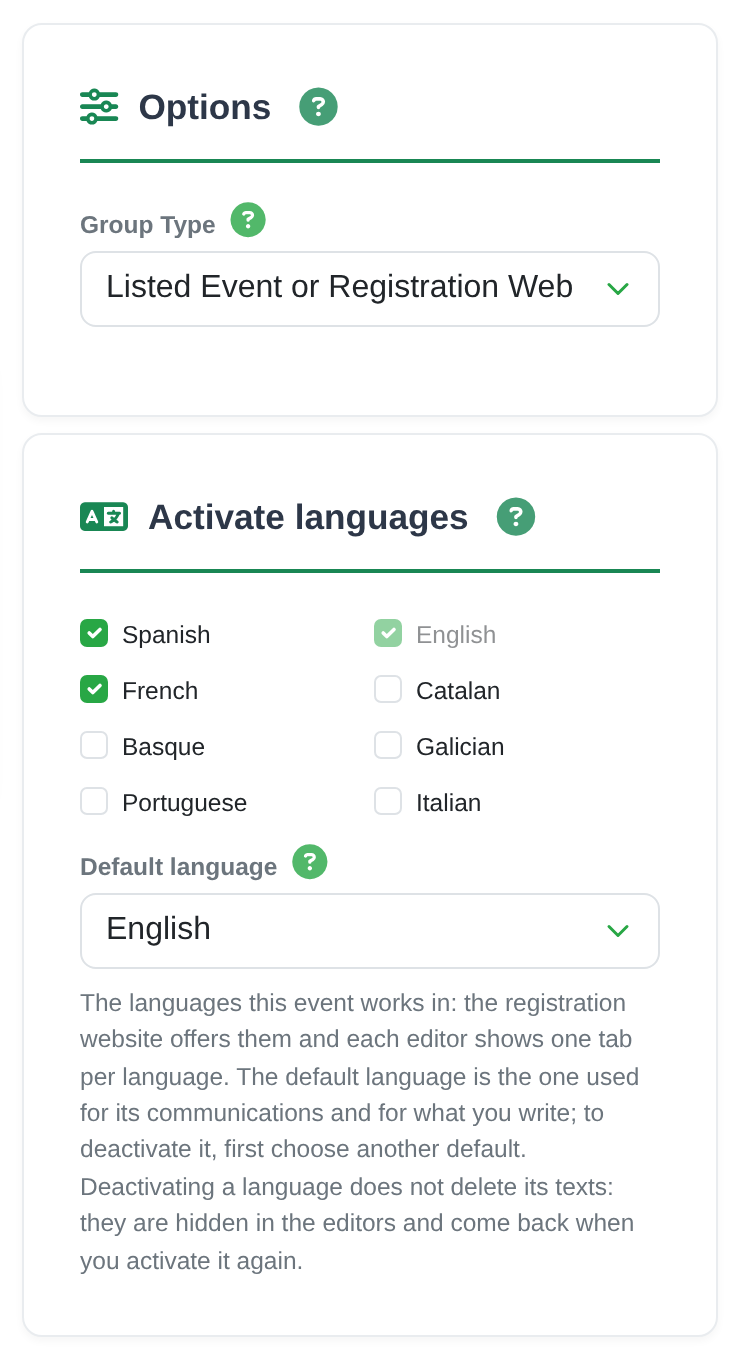
You'll find it in Create Group and Edit Group, in its own section, Activate languages:
- One tick box per language. Tick the languages your event works in.
- Default language. You can only pick one of the languages you've ticked. It's the language of the group's communications (emails and notifications), of the texts the app shows at its events, and the base language of the column names. The website, email and templates you create later take it as their base language.
- At least one always remains. The default language's box can't be unticked: to remove it, choose another default first. You can switch off English too, if your event doesn't need it.
- When you create a group, only English is ticked. You tick the others yourself, then or later, as and when you need them.
If you change the default language later, the existing column names and options move to the previous language's tab: none of them are lost.
What ticking a language changes
Whatever you tick in Activate languages applies to every section of the group that has translations:
- The registration website offers those languages, and any language you activate is offered as soon as you save (the one exception, on some websites that already existed, is explained below). The website editor no longer has its own language selector: on its Design tab, Website languages shows the active ones and links to Edit group › Activate languages to change them.
- The editors (website, fields and their options, email, badge designs, certificates and SMS) show one tab per active language.
- Mailing: in a template for an event, Add a language… offers the active languages of its group. In an account-wide template, all eight.
- A language-type field on the form offers the active languages when you pick its default value.
- The API returns each event's default language (
group_language) and active languages (group_languages), in case you connect it to your website or CRM.

The badge email you send from the attendee list goes out in the language you use the dashboard in, if it's active in the group. If it isn't, it goes out in the group's default language, so nothing is ever sent in a language you haven't seen.
If you work with your team, languages are changed by whoever has the Edit group settings permission.
Deactivating a language doesn't delete anything
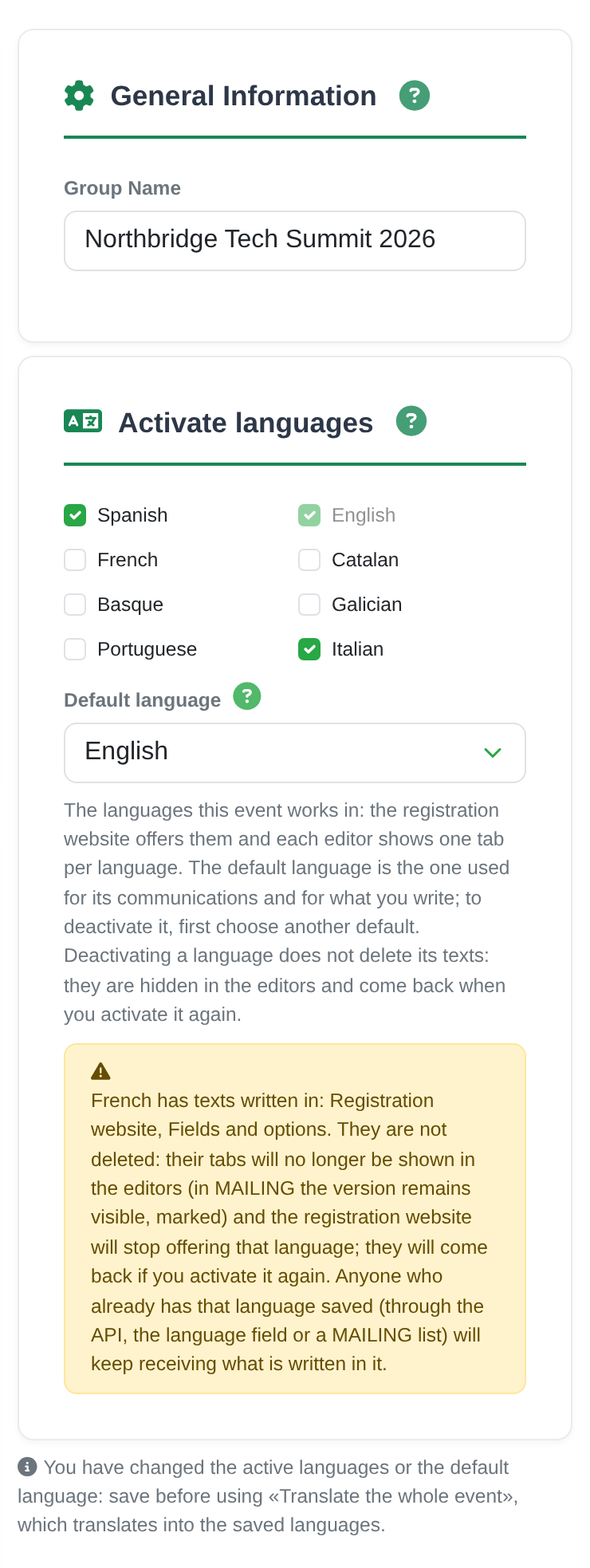
If you untick a language, its texts stay saved. What changes is what's shown:
- its tabs are no longer shown in the editors;
- the registration website stops offering it;
- in Mailing, the version in that language stays visible, marked as deactivated.
Tick it again and everything comes back exactly as it was.
Before you save, Edit Group warns you where there are texts written in that language, and repeats the warning in the confirmation. It also tells you if that language is the base language of any document: it stays the base, with its tab marked "deactivated", until you choose another base in that document.
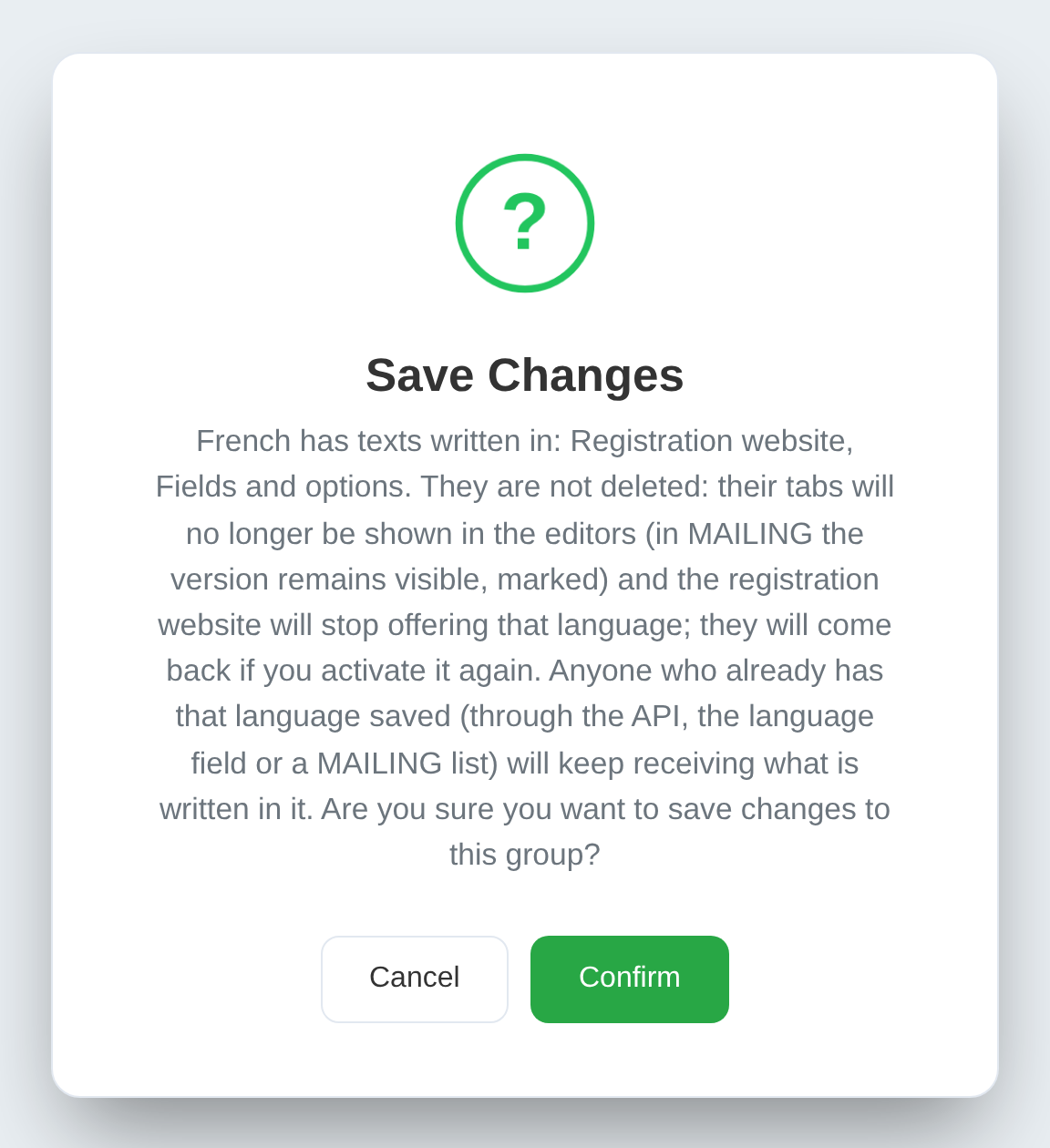
Anyone who already has that language saved keeps getting it. If a guest has French on their record (because they chose it in your website's language field, because it came in through the API, or because it's on a Mailing list), they keep receiving what's written in French or, if there's nothing, the base language. The exceptions are SMS and sending certificates, which only send what's written in the active tabs: that guest gets the same as someone with no language.
If your form has a language field that still offers a deactivated language, the website editor tells you; if you don't want it chosen, remove that option from the field in Edit Group.
Your existing groups: their languages are already activated
You don't need to do anything for things to stay as they are. Every group you already had has these activated automatically:
- the group's own language;
- the languages its registration website offers; if you never chose languages there, the usual six: Spanish, English, French, Catalan, Basque and Galician;
- any language that already has texts written in it, and any that is the base language of a document;
- the languages of its Mailing templates;
- for ticket sales groups, the six languages of their sales website.
Your registration websites still offer the same languages as before. If a group has gained a language its website didn't offer (say you had texts in French but the website didn't offer French), the website still doesn't offer it: the website editor tells you, and if you want, the Offer them too button makes the website offer the missing ones.
The ticket sales website doesn't change either: it still offers its six languages.
Our suggestion: open Edit Group, look at Activate languages and untick the languages you don't use. You'll have fewer tabs in each editor and, once automatic translation arrives, it will only translate into what you actually need.
Eight languages, each with its own texts
Catalan, Basque and Galician, like Portuguese and Italian, have their own texts, which you write in their own tab:
- the registration website: headline, subtitle, header, footer, the closed-website message and the rest of its texts;
- the form fields and the options in their drop-downs;
- the email: subject and message;
- the badge design: its HTML and its legal text;
- the certificate: its legal text, plus the subject and message you send it with;
- SMS.
And any of the eight can be the group's default language.
The base language: what a guest sees when a translation is missing
The website, the email, the badge and the certificate each have their own Base language. Its tab comes first, marked "base", and whatever you write in it is what's shown in the languages you leave untranslated.
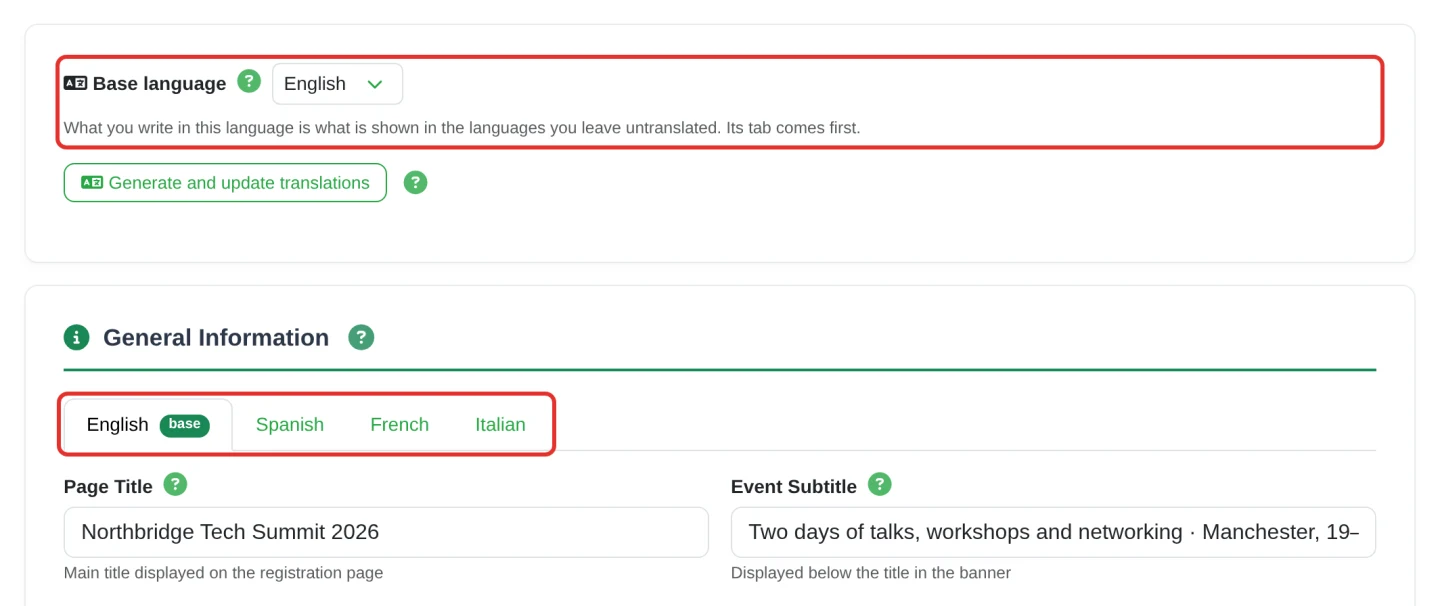
- If a translation is missing, the guest sees the base-language text. Never a blank space.
- If a text is empty in the base too (on the website, or in the legal text of the badge or the certificate), saving uses the text from the first language that has it. On the website, the dashboard tells you which ones.
- For form fields, the base is always the group's default language: anything you don't translate appears in that language.
- A new document starts with the group's default language as its base, and you can choose another in each one.
And which language does each guest see your website in? The one they pick at the top, from the ones you offer. When it opens, the website uses the first of these that it offers: theirs, if they arrive through their personal link and your form has a language field; the one they already chose before; or the group's default language. If it offers none of them, it opens in the first one you offer. Mailing and SMS write to them in their language, the one saved in that field. Anyone without one gets, in Mailing, the version in the campaign's Default language and, by SMS, the base-language text.
Coming soon: automatic translation
We're finishing an automatic translator built into the dashboard. It isn't available yet, and it doesn't have a date. Here's how it will work:
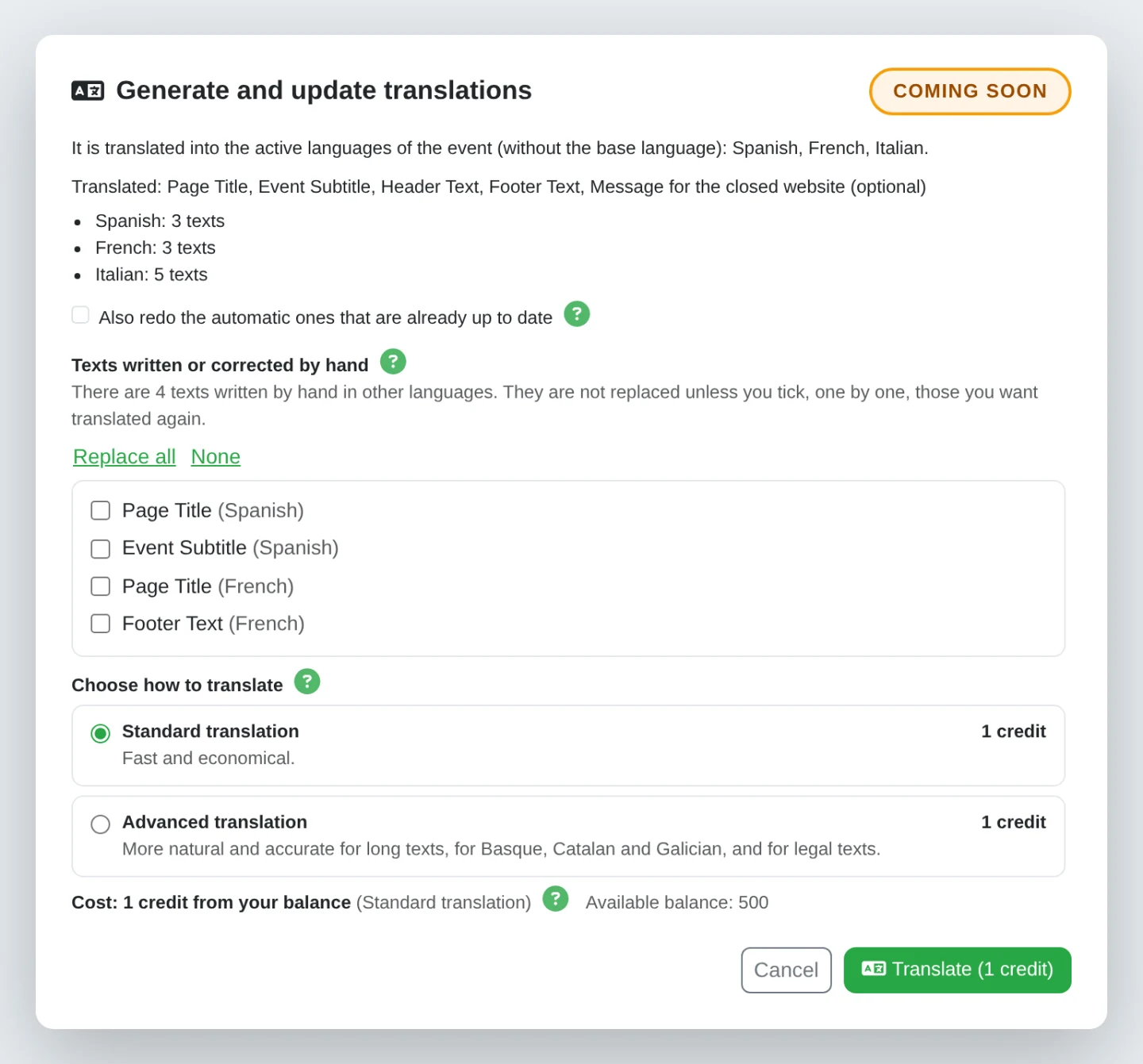
- A Generate and update translations button on the registration website, fields, email, badge, certificate and SMS. And another, Translate the whole event, in Edit Group, to translate the website, fields, email, badge designs and certificates in one go (SMS are translated when you send them).
- It translates from the base language into your active languages, and only those: not into all eight.
- Two options on every click: Standard translation, fast and economical, and Advanced translation, more natural and accurate for long texts, for Basque, Catalan and Galician, and for legal texts. Both are automatic translations, so they're worth reviewing.
- The price, shown before you confirm. It's charged in credits from your balance according to the length of the text, usually 1 credit (with Translate the whole event, at least 1 for each different base language the sections have). Each option shows its own price and you pay for the one you choose, not a credit more. If a language doesn't get translated, it isn't charged; if there's nothing to translate, nothing is charged.
- It never overwrites what you wrote by hand. By default it fills in what's empty and the automatic translations whose original has changed. Anything written or corrected by hand is only replaced if you tick it yourself, text by text. And the Also redo the automatic ones that are already up to date box is there to request those again, for example with the advanced option.
- Nothing saves itself. Translations appear in each tab marked Automatic: please review, and they aren't saved until you press Save. No mark is shown on the public website.
- Only the organiser's texts are sent, never your guests' data. Email addresses, phone numbers and links inside the text are replaced before it's sent. Before we switch it on, we'll add the translation provider to our data processing agreement.
As always
Activate languages is already in your account and your groups already have their languages activated: there's nothing to install or update. We'll tell you about automatic translation when it's ready.
If you're running an event in several languages and would like us to go through it with you, write to us.